KalamDB Admin UI
The KalamDB Admin UI is the browser workspace for authentication-aware server operations, SQL Studio work, schema editing, user management, realtime monitoring, logging, and runtime configuration review.
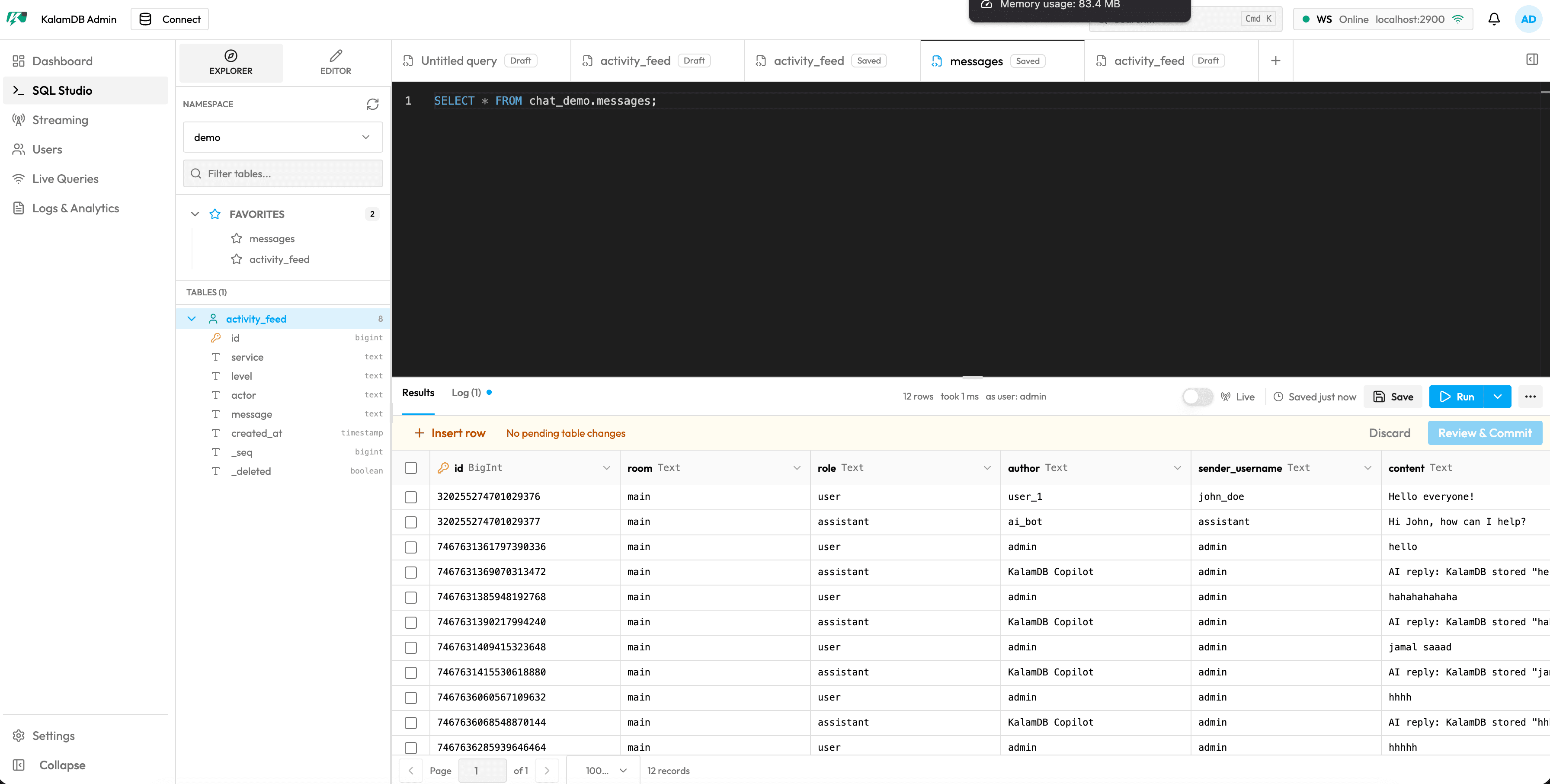
Admin UI Navigation
Open the Admin UI at:
The sidebar groups the primary operator pages:
- Login for local and OIDC browser authentication
- Dashboard for health cards, metric charts, slow queries, storage usage, and cluster node status
- SQL Studio for namespace browsing, table inspection, saved query tabs, SQL execution, and visual schema editing
- Create a Table for the visual table editor workflow
- Streaming for topic inventory, topic inspection, consumer offsets, and topic-to-SQL navigation
- Users for users, roles, pending invites, pagination, edits, and account lifecycle actions
- Live Queries for active WebSocket subscriptions, filters, change counts, and kill actions
- Logging for audit events, server logs, background jobs, and slow query analytics
- Settings for current-user context and grouped server, storage, cluster, backup, and security settings
Shared Layout
Every authenticated page keeps the same shell:
- top bar with connection action, global search, WebSocket status, notifications, and current-user menu
- icon sidebar for Dashboard, SQL Studio, Streaming, Users, Live Queries, Logs, and Settings
- authenticated session context from the same login and token flow used by the HTTP and WebSocket APIs
Authentication Context
The Admin UI discovers login modes from /v1/api/auth/login-options and uses the same local and OIDC authentication surface described in Authentication & Bootstrap.
For OIDC deployments, register the browser redirect URI documented in OIDC & Issuer Trust.