KalamDB Admin UI Streaming
The Streaming page shows topic-oriented realtime activity so operators can inspect topic inventory, consumer state, and stream behavior from the Admin UI.
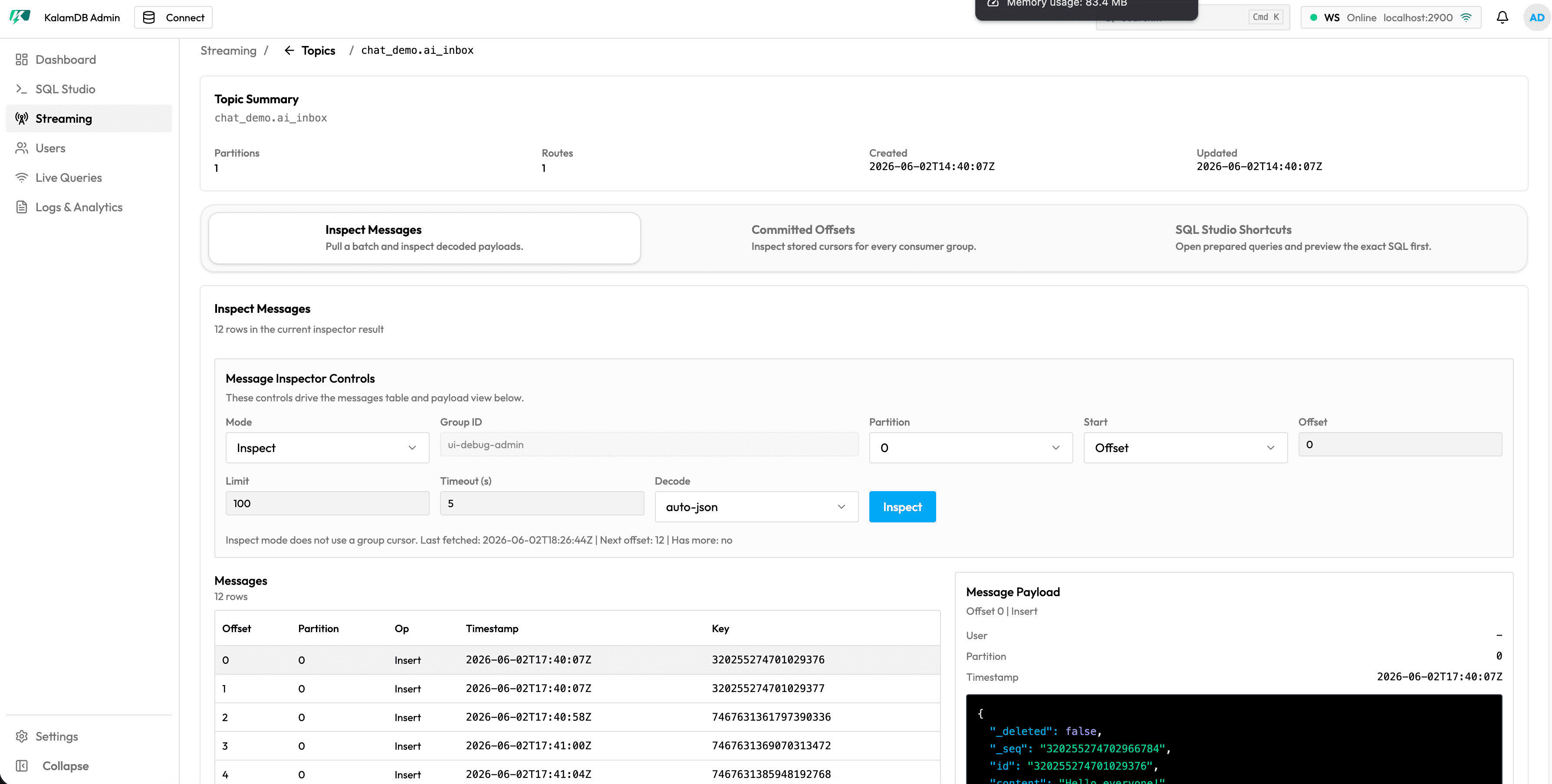
What Streaming Shows
The Streaming area has separate views for topics and consumers:
Topics: searchable topic inventory with topic name, partitions, routes, retention window, last update time, and actionsConsumers: consumer and offset monitoring for active consumer groups and claims- topic actions to open the relevant SQL view or inspect a topic in place
- refresh controls for pulling current topic and consumer state
When To Use It
Use this page to confirm expected topics are visible, check retention and routing metadata, inspect producer/consumer behavior, and correlate stream activity with Jobs and Logs.
For SQL topic setup, see SQL Topics.