KalamDB Admin UI Users
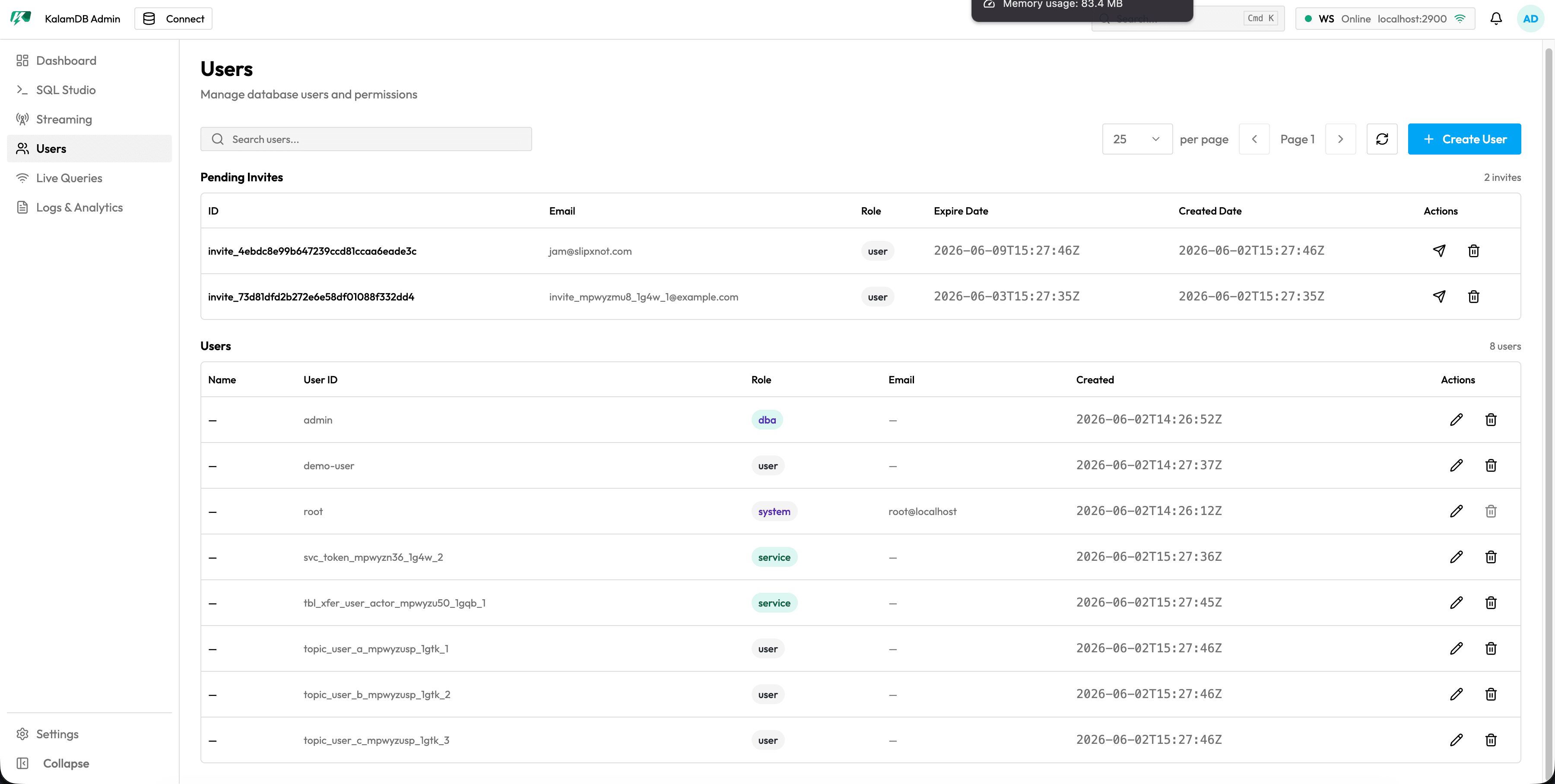
The Users page is the Admin UI surface for reviewing KalamDB identities, roles, pending invites, and authentication state.
What Users Shows
The Users page includes:
- search box for filtering users
- page-size selector and previous/next pagination controls
- refresh action
Create UseractionPending Invitestable with invite ID, email, role, expiration, creation time, reinvite action, and delete actionUserstable with name, user ID, role, email, creation time, edit action, and delete action- protected handling for system/root accounts where destructive actions may be disabled
When To Use It
Use this page after bootstrap, local-user changes, or OIDC rollout to confirm the DBA account exists, roles match expectations, invites are still valid, and service/system accounts are not accidentally removed.
For SQL user commands, see Users SQL Reference.