KalamDB Admin UI Logging
The Logging page is the Logs & Analytics workspace for event-level troubleshooting across audit events, server logs, background jobs, and slow SQL.
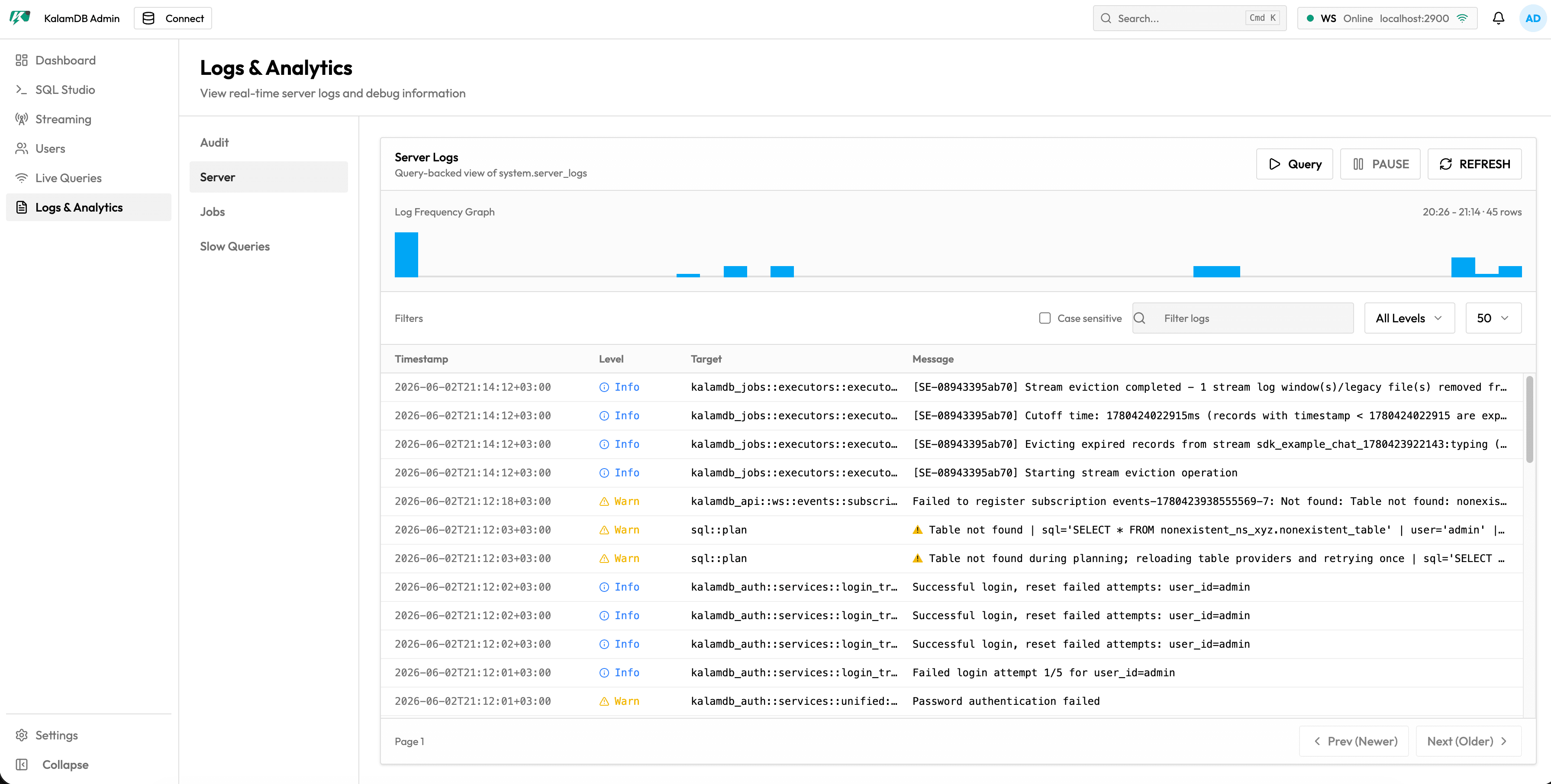
What Logs & Analytics Shows
The page is split into four sections:
Audit: security and administrative activityServer: query-backed view ofsystem.server_logswith log frequency graph, pause/refresh controls, text filter, case-sensitivity toggle, level filter, row limit selector, timestamp, level, target, and messageJobs: background job table with status, job type, namespace/table, created time, duration, node, filters, pagination, refresh, and detail actionSlow Queries: slow query analytics for statements that exceed the configured threshold
When To Use It
Use logs to confirm login/setup behavior, trace failed SQL or maintenance operations, correlate jobs with streaming and live-query events, and collect evidence before changing production configuration.
For log configuration, see Logging Configuration.